Google AI Mode SEO: how query fan-out changes which pages get found
AI Mode answers one question by running many searches you never see. That changes which of your pages can win. What Google has said about it, and how we'd structure a site for it.

Google's AI Mode looks like a chat inside Google Search. You ask a question, get a written answer with links, and ask a follow-up. Underneath, it does something that changes SEO more than the chat format does: it runs searches you never typed.
Google calls this query fan-out. Here's what it means for a business website.
What fan-out is
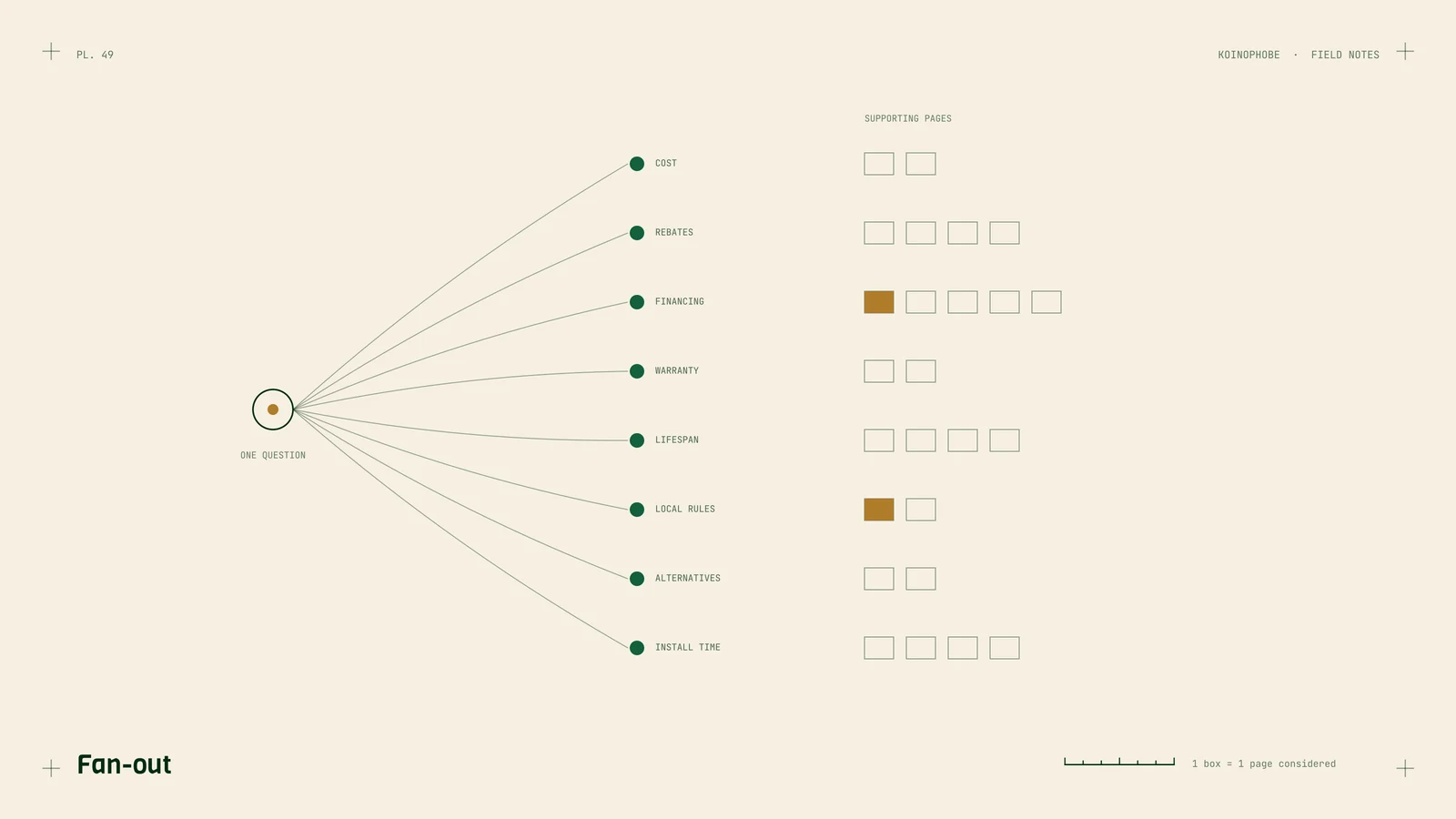
From Google's documentation for site owners: AI Overviews and AI Mode "may use a query fan-out technique, issuing multiple related searches across subtopics and data sources." The point, Google says, is to find more supporting pages and show a wider set of links than a classic search would.
So when someone asks "what's the best way to finance a new HVAC system," AI Mode might also search for HVAC financing rates, manufacturer rebates, utility rebates in their state, whether financing affects warranties, and typical replacement costs. Each of those is a chance for a different page to be cited.

What that means for your pages
The head term matters less on its own. You can rank first for "HVAC financing" and still not be cited if another site answers "do HVAC rebates stack with financing" better. In our own study of Google's AI Overviews, which uses the same technique, only 2.2% of cited pages were in the organic top ten for the search typed. Fan-out is a big part of why.
Sub-questions become entry points. Every specific question your customers ask is a possible fan-out search. A site that answers 40 real questions plainly has 40 chances; a site with five service pages has five.
Clear headings help a system find the part it needs. If a page covers six sub-questions, put each under its own heading phrased the way people ask it. A system pulling one fact shouldn't have to read every section to find it.
How we'd structure a site for fan-out
1. Map the questions behind each service. For each thing you sell, list what a careful buyer wants to know before buying: cost, timing, alternatives, risks, eligibility, local rules. Sales calls and support emails are the best source. Each one becomes a heading or a page.
2. One question, one clear answer. Start each section with a two- or three-sentence answer, then the detail. That's quotable, and it's what a busy reader wants too.
3. Link the cluster together. The main service page links to each question page, and each question page links back and to its neighbors. Google recommends internal links in its AI features guidance, and fan-out has to discover pages before it can use them.
4. Keep facts current and dated. Prices, rebates and rules change. A dated, current page beats an undated one when a system is choosing between two.
5. Keep important content in text. Google says so directly for AI features. Tables in HTML, not images. Prices on the page, not in a PDF.
We use the same structure for comparison pages and for local service sites. It's ordinary good SEO, aimed at the long list of questions instead of one keyword.
What we wouldn't do
- Write 200 thin pages for 200 keyword variants. Fan-out searches subtopics. Misspellings and word swaps don't need their own pages. Near-duplicate pages are the kind of thing Google's spam policies call doorway pages.
- Add special AI markup. Google says there's no special structured data for AI Mode. Correct, ordinary markup is enough. More here.
- Panic about the chat format. AI Mode still links to pages. Google says it shows a wider, more diverse set of links. Those links have to go somewhere.
How to check where you stand
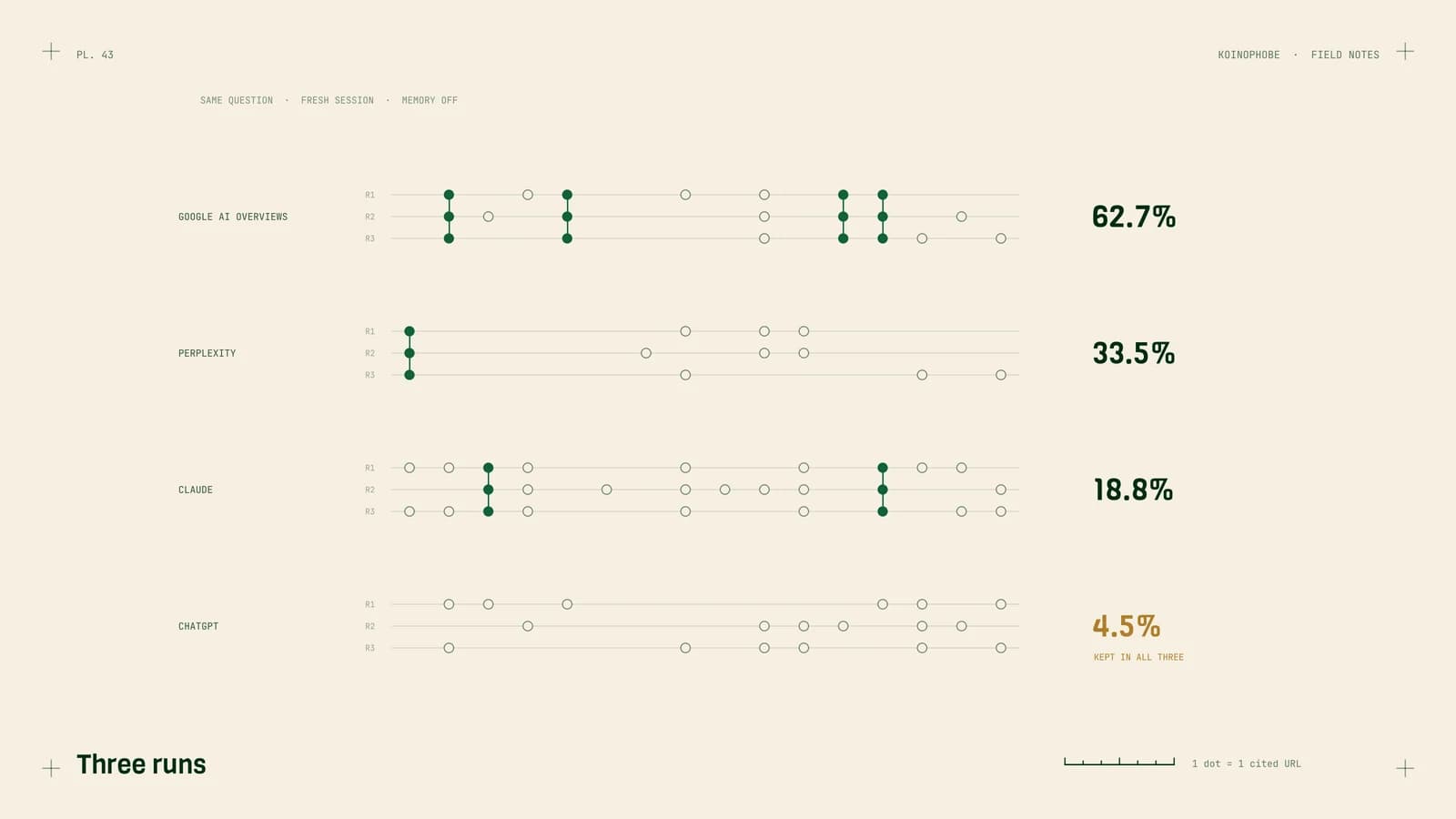
Search Console counts AI Mode clicks under the Web search type without separating them. So check by hand: ask AI Mode the five questions that matter most to your business, note which sites it links, and repeat monthly. Then compare with AI Overviews and with ChatGPT, using the tracking method We use for clients.
Next steps
Take your most important service and write down every question a buyer asks before paying for it. If your site answers fewer than half, that's your content plan for the quarter. Content that AI cites covers how to write each page.
Our AI search optimization service builds exactly this: the question map, 12 in-depth pages a month, and tracking across Google's AI features and the chat assistants. $1,000 a month, no contract.
Frequently asked questions
What is Google AI Mode?
AI Mode is a conversational search experience in Google that answers questions with a written response and links, and lets you ask follow-ups. Google says it can issue multiple related searches across subtopics and data sources to build the answer, a technique it calls query fan-out.
Do I need to optimize separately for AI Mode?
Google says there are no additional requirements to appear in AI Overviews or AI Mode. Pages must be indexed and eligible to show with a snippet. The practical difference is that fan-out rewards pages that answer specific sub-questions well.
Can I see AI Mode traffic in Search Console?
Google says traffic from AI features, including AI Mode, is counted in Search Console's Performance report under the Web search type. It isn't broken out separately.