Bing's AI Performance report: how to see when Copilot cites your site
Bing Webmaster Tools now shows how often Microsoft Copilot cites your pages, which pages, and the searches behind them. It's the first first-party AI citation data any platform has given site owners. How to set it up and read it.

For two years, every business asking "are AI assistants citing us?" had one option: ask the assistant and write down what it said. Search engines gave you clicks and impressions for search, and nothing for AI answers.
Microsoft changed that. Bing Webmaster Tools now has an AI Performance report that shows how often Copilot cites your site. It's still a preview, and it only covers one assistant, but it's the first real first-party data on AI citations that any platform has handed to site owners.
What the report shows
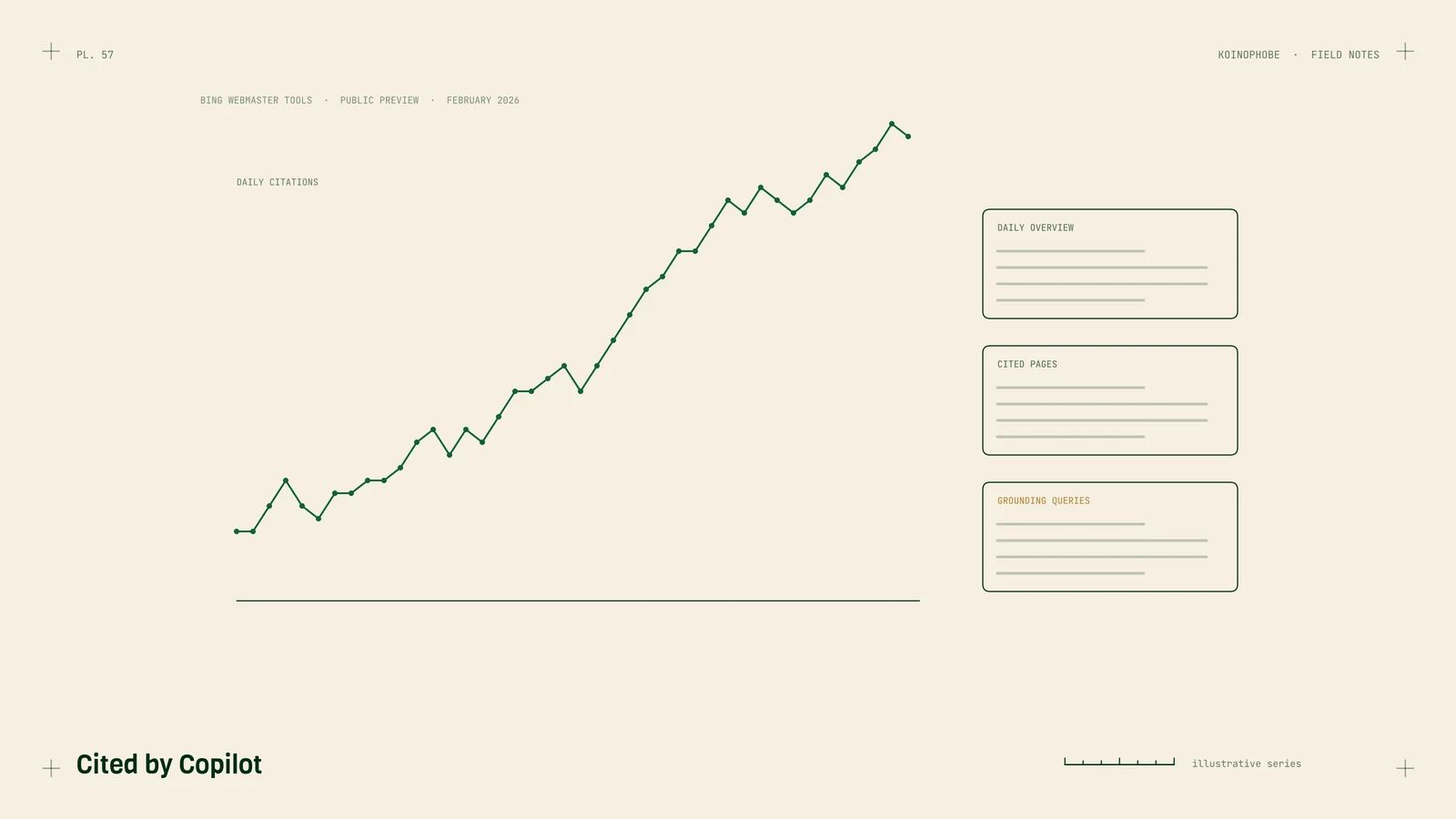
Microsoft released it as a public preview in February 2026, for any site verified in Bing Webmaster Tools. It offers three views, each exportable as CSV:
- Daily overview: total citations and the number of distinct pages cited, per day.
- Page-level stats: which of your URLs Copilot cited, and how often.
- Grounding queries: the retrieval searches that led Copilot to cite you.
There's no API yet. Microsoft has said API access is planned, without a date, and that more data will come during 2026.

How to set it up
- Go to Bing Webmaster Tools and sign in with a Microsoft account.
- Add your site. If it's already verified in Google Search Console, use the import option; it takes a minute. Otherwise verify with a DNS record or an HTML file.
- Submit your sitemap while you're there. Bing's index also feeds Copilot.
- Give it time to collect data, then open the AI Performance report.
How to read it
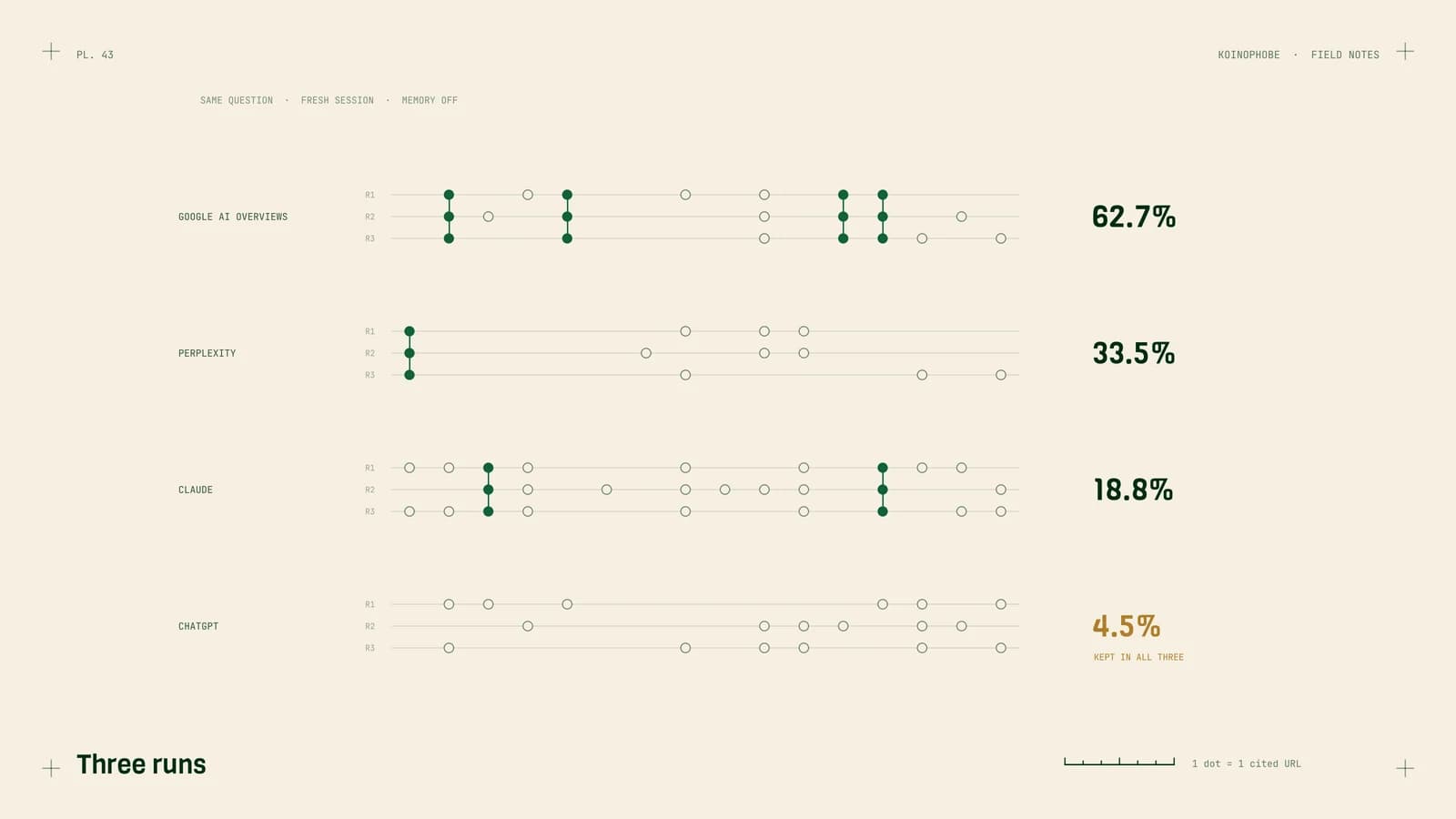
Citations over time. A baseline. Watch the trend after you publish or update pages, but don't read meaning into one day. Our own citation study found AI answers change a lot from run to run, and daily citation counts will be noisy for the same reason.
Cited pages. The most useful view. These are the pages Copilot trusts enough to quote. Compare them with your top pages in Google Search Console:
- Pages cited by Copilot that also rank well on Google: your strongest pages. Keep them current.
- Pages cited by Copilot that don't rank on Google: often article-shaped pages answering specific questions. Worth building more like them.
- Important pages never cited: look at whether they answer a question at all, or only describe a product.
Grounding queries. This is the closest thing yet to seeing inside an AI search. The queries are what Copilot searched for, not what the user typed. They tend to be more specific, which matches what Google says about its own AI features issuing related searches across subtopics. More on that. If grounding queries cluster around a question you answer badly, that's your next page.
What it doesn't tell you
- Other assistants. Copilot only. ChatGPT, Claude, Perplexity and Google's AI features aren't in it.
- Whether you were named without a link. It counts citations, not mentions in the text.
- Clicks. Citations aren't visits. GA4 shows the visits; we covered the setup in tracking ChatGPT traffic in GA4.
So use it as one of three measures: platform data where it exists (Bing), clicks in GA4, and repeated checks of what assistants say, using a fixed question list. The tracking method.
Why Bing matters more than its search share suggests
Copilot answers from Bing. Bing's index is also part of how many other tools find web pages. If you've ignored Bing Webmaster Tools because Google sends most of your traffic, the AI Performance report is a good reason to set it up. It takes ten minutes and costs nothing.
Next steps
Verify your site in Bing Webmaster Tools today and submit your sitemap. Check the AI Performance report in a few weeks and list your cited pages. Then run the free AI crawler check to confirm Bingbot and the other assistants' crawlers can reach everything else.
Our AI search optimization service reads this report alongside repeated checks across ChatGPT, Claude, Perplexity and Google every month. $1,000 a month, no contract.
Frequently asked questions
What is Bing's AI Performance report?
It's a report in Bing Webmaster Tools that shows how often Microsoft Copilot cites your verified site in its answers. Microsoft released it as a public preview in February 2026. It covers daily citations, the pages cited, and the grounding queries that led to citations.
How do I get access to the AI Performance report?
Verify your site in Bing Webmaster Tools. If you already use Google Search Console, Bing lets you import your verified sites from it in a few clicks. The report is available to verified sites.
What are grounding queries?
They're the searches Copilot runs behind the scenes to find sources for an answer. They show you what Copilot was looking for when it cited your page, which is often different from what the person typed.