NAP consistency for contractors: one name, address and phone everywhere
NAP consistency for contractors: where your name, address and phone number need to match, how mismatches creep in, and how to find and fix them.

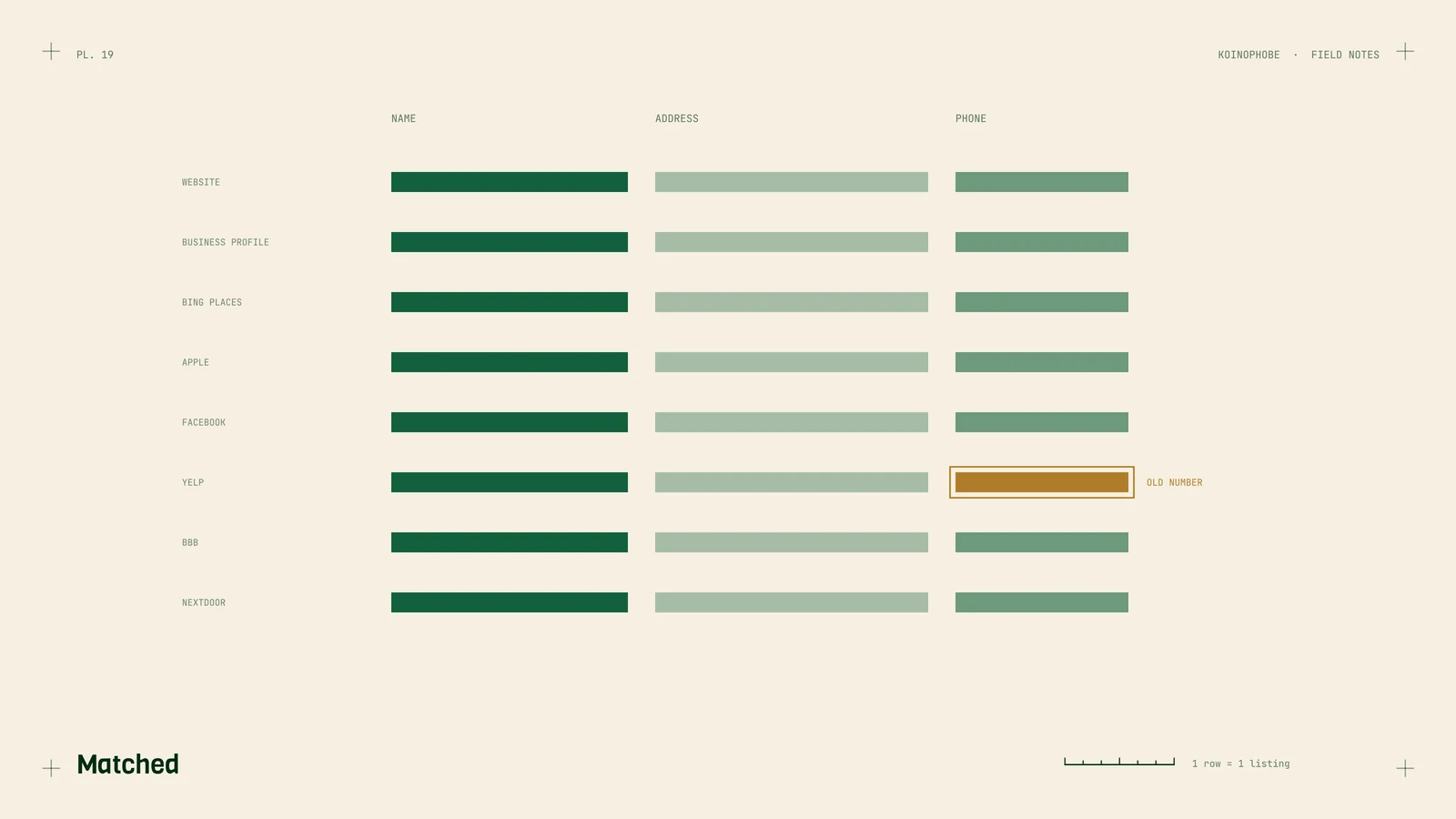
NAP is your business name, address and phone number. A citation is any place online that lists them: your Business Profile, Yelp, the BBB, a chamber of commerce page, a manufacturer's contractor finder. When those listings disagree, customers and search engines have to guess which version is right.
How much do citations matter?
Less than a lot of SEO sales pitches suggest, and nobody outside Google can measure it precisely. Citations were a bigger part of local SEO years ago. Today your Business Profile and the pages on your own site seem to carry far more weight in local results.
Consistency still matters for a plainer reason. A homeowner who finds your old number on Yelp may call a line you don't answer anymore. A listing with a different business name makes people wonder if it's the same company. So we treat NAP work as accuracy and trust, and we don't promise anyone it will move rankings.
Where your name, address and phone should match
Start with the places customers and Google look most:

- your website: header, footer, contact page and schema markup
- Google Business Profile
- Bing Places
- Apple Business Connect, which feeds Apple Maps
- your Facebook page
- Yelp
- BBB
- Angi
- Nextdoor
- trade association and manufacturer "find a contractor" listings, if you're in any
Your website is the reference copy. Decide on the exact name, the exact phone number and the exact address format there, then make every other listing match it.
How mismatches happen
Mismatches build up over time:
- An old phone number. You moved from a cell number to an office line, updated the website and Business Profile, and forgot the listings you set up years ago.
- Tracking numbers. A call tracking number placed on a directory, or an old campaign number that was never removed. Tracking numbers are worth having when used on purpose. On your Business Profile you can make the tracking number the primary phone and list your main number as an additional phone. Everywhere else, use your main number.
- Suite format. "Suite 4" on one site, "Ste 4" or "#4" on another. This is probably the least harmful mismatch, but it's easy to make consistent while you're in there.
- An old business name. A rebrand, a name that dropped "LLC", or "Smith Roofing" on one listing and "Smith Roofing and Construction" on another.
- A move. The old address lives on in directories you forgot existed.
- Listings nobody created. Some directories build listings from data they buy or collect, so a business can have profiles it never set up.
How to audit your listings
This takes a search box and a spreadsheet.
- Search your phone number in quotes, in each common format:
"555-555-0123"and"(555) 555-0123". Every result is a place your number appears. Check the name and address next to it. - Do the same for every old phone number the business has used. Old numbers on live listings are the most urgent fixes.
- Search old business names and old street addresses in quotes.
- Search your business name plus your city and look through the first few pages.
- Log each listing in a spreadsheet: the site, the URL, the name, address and phone as shown, who has the login, and the date you fixed it.
Then claim and correct each one. Where you can't claim a listing, most directories have a way to suggest an edit or report a duplicate. Note who owns each login. If a former marketing company created your listings under their own account, get them moved to an account the business controls. With our clients, the business owns every account.
Service-area businesses that hide their address
Most roofers, pool companies and lawn crews don't have customers come to them. On Google Business Profile, remove the address if customers don't visit, and set up to 20 service areas by city or ZIP, within about two hours' drive of your base.
Keep the rest consistent with that choice. On other directories, hide the street address where the option exists and show your city and state. On your website, list the towns you serve where a street address would normally go. Use your real business name everywhere. Google doesn't allow keywords stuffed into the name on your Business Profile, and "Smith Roofing | Roof Repair Near Me" on Yelp just looks like a different company.
Your schema markup should carry the same details as everything else; we cover that in the roofing contractor schema note. If you're also changing domains, update the website link on every listing as part of your website redesign checklist. And once the number is the same everywhere, track the taps on it in Tag Manager.
Business Profile cleanup is part of the Setup Sprint on our pricing page. If you want us to run the listing audit for you, send us your business name and number.
Frequently asked questions
What does NAP stand for in local SEO?
Name, address and phone number. NAP consistency means those details match on your website, your Google Business Profile and every other place your business is listed.
Do citations still help a contractor rank on Google?
Probably less than they once did, and nobody outside Google can measure it exactly. We treat them as a matter of accuracy and trust, because a wrong number on a listing costs calls either way.
How should a service-area business list its address?
On Google Business Profile, remove the address if customers don't visit and set your service areas by city or ZIP. On other directories, hide the street address where they allow it and keep the name and phone identical.