Roofing contractor schema: what to add and where it goes
Roofing contractor schema, page by page: what to mark up on your home page, service pages and articles, what it won't do for you, and how to test it.

Schema is code on a page that tells search engines what the page is about, in a fixed vocabulary from schema.org. For a roofer it says: this is a roofing company, here's its phone number, these are its services, these are the towns it works in. We write it as JSON-LD, a block of script in the page that visitors never see.
What schema does and doesn't do
Schema removes guesswork. Google can read your name, phone and service area without picking them out of your footer, and it can connect each service page back to your business. We can't promise it will move your rankings, and we'd be wary of anyone who does.
On a roofing site we work on, FAQ and service schema were part of the work, alongside title and meta rewrites, a service page per town and long-form articles on the questions Florida homeowners ask after storms. Average position went from 47.9 to 14.9 comparing October 2025 to August 2026 with the eleven months before. We can't tell you how much of that came from schema, because all four changes happened in the same stretch.
The home page: RoofingContractor
schema.org has a RoofingContractor type, which is a more specific kind of LocalBusiness. It goes on the home page, and these are the properties to fill in:
name: your real business name, exactly as it appears on your Google Business Profiletelephone: the main number people callurl: your home pageareaServed: the towns you work in, by namesameAs: links to profiles that belong to you, like your Business Profile and Facebook pageaddress: if you show one publicly
A short version looks like this:
{
  "@context": "https://schema.org",
  "@type": "RoofingContractor",
  "@id": "https://example.com/#business",
  "name": "Example Roofing",
  "url": "https://example.com/",
  "telephone": "+1-321-555-0100",
  "areaServed": [
    { "@type": "City", "name": "Melbourne, FL" },
    { "@type": "City", "name": "Palm Bay, FL" }
  ],
  "sameAs": ["https://www.facebook.com/exampleroofing"]
}
The @id matters more than it looks. It gives the business a fixed address that other blocks on the site can point to.
Service pages: Service
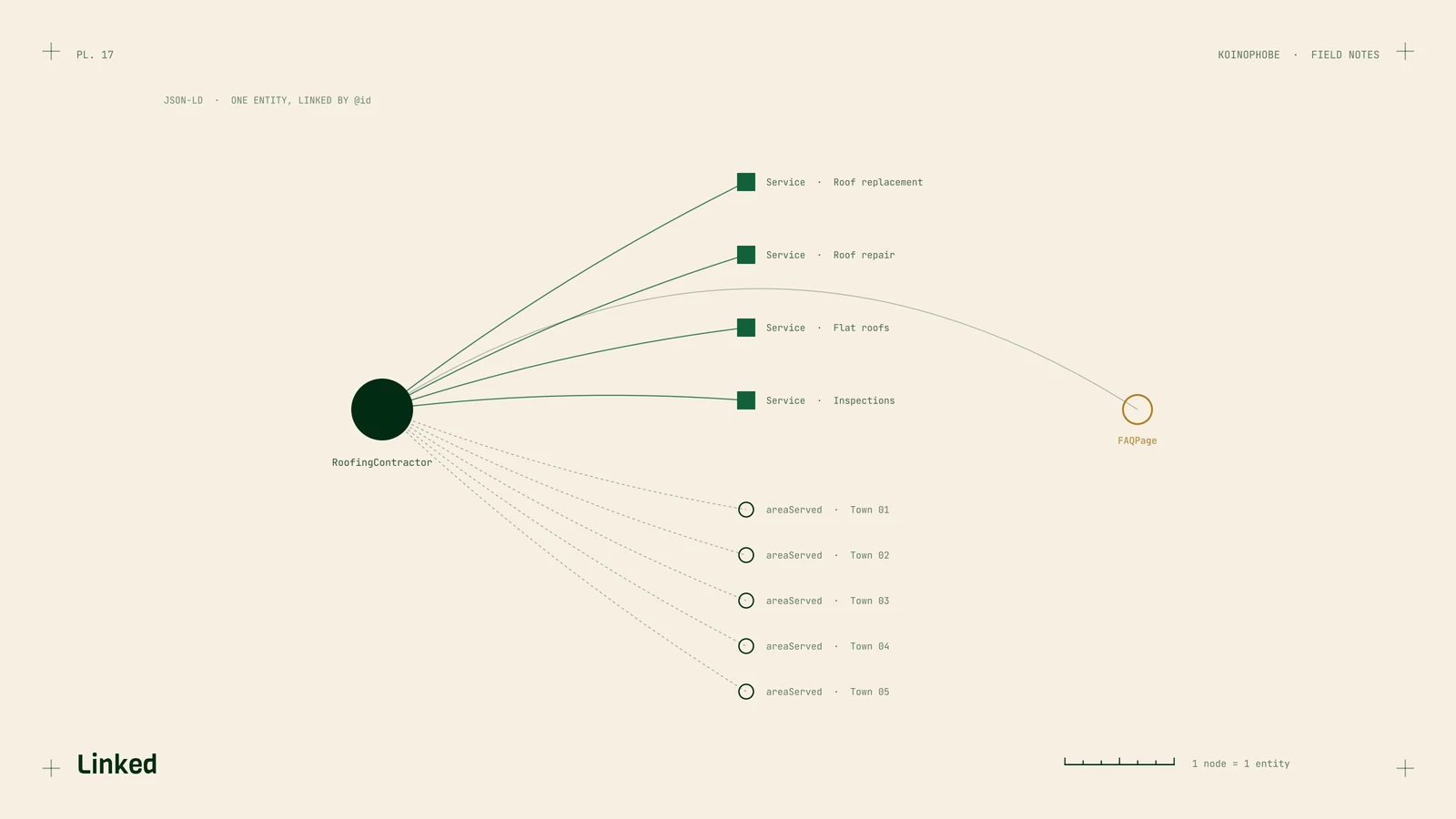
Each service page, such as roof replacement, roof repair or flat roof repair, gets its own Service block. We set serviceType to the plain name of the service, areaServed to the towns that page covers, and provider to the business's @id. That last link is what makes the tree in the picture above. Google sees one roofing company with several services, each tied to real towns.
Articles: BlogPosting
Articles get BlogPosting with the headline, the date published, the date modified, the author and the main image. If you write about storm prep or insurance claims, this tells search engines the page is an article from a named author at your company.
FAQPage, only where there's a real Q&A
Use FAQPage when the page has questions and answers a visitor can read. Every question and answer in the markup has to be visible on the page. Don't add questions that only exist in the code.
Don't expect the dropdowns in search results, either. Since 2023 Google shows FAQ rich results only for well-known government and health sites. We still add FAQPage where the content fits, because it labels the Q&A clearly.
BreadcrumbList
Breadcrumbs describe where a page sits on the site, for example Home, then Services, then Roof Replacement. They're quick to add and help Google see how your pages relate to each other.
What to leave out
Don't mark up your own reviews to get star ratings. Google doesn't show review stars for a business's reviews of itself, which it calls self-serving reviews. Don't stuff areaServed with towns you don't work in, and don't use a business name in schema that's different from the one on your Business Profile.
How to test it
Run every page through two tools after you publish:
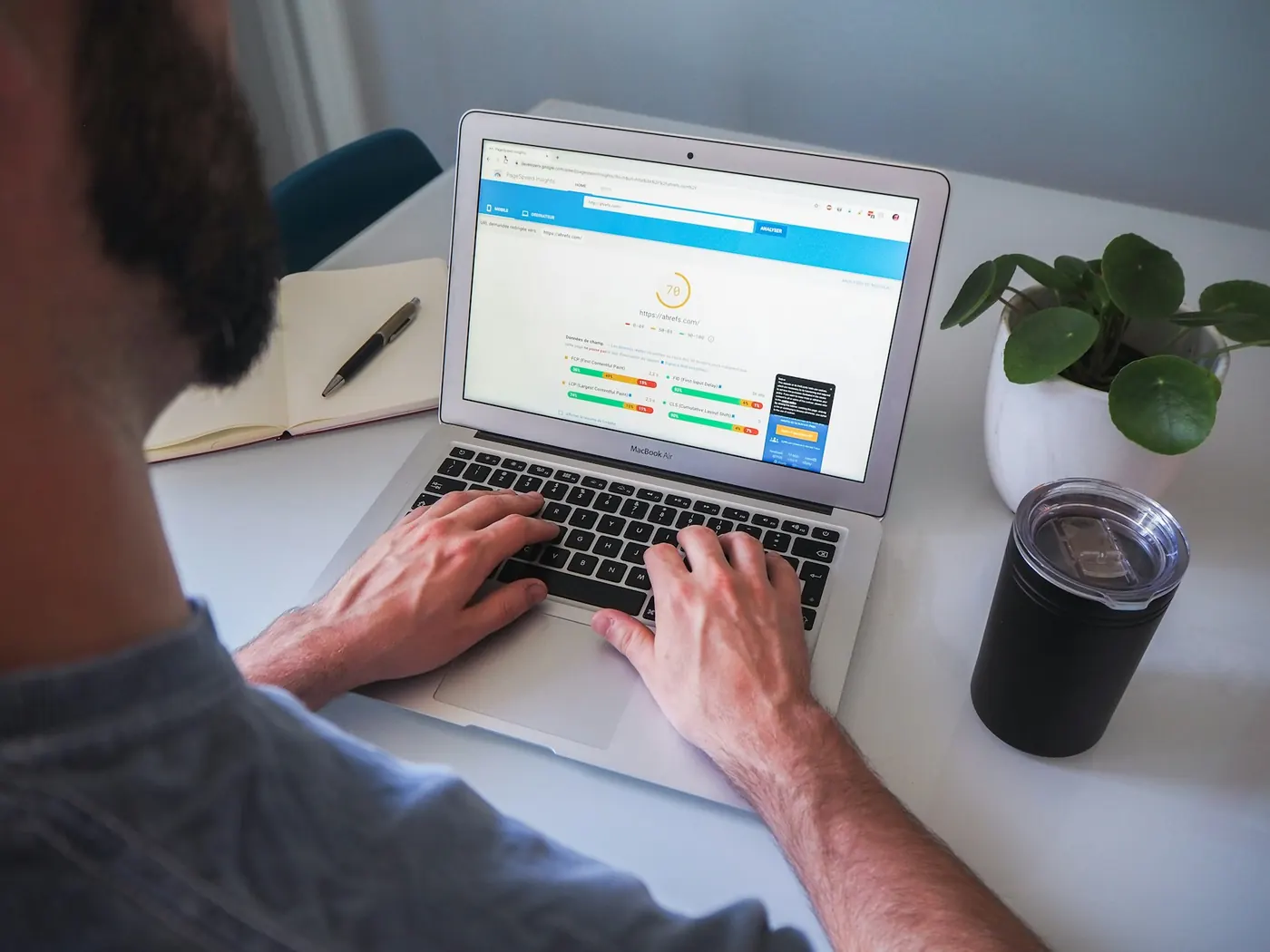
- Rich Results Test from Google. It shows what Google can read from the page and flags errors in the types it uses for search features.
- Schema Markup Validator at validator.schema.org. It checks everything against the schema.org vocabulary, including types like Service that the Rich Results Test doesn't report on.
Fix errors first. Warnings about optional properties are worth a look but rarely urgent.
If you're rebuilding your site soon, add schema to your checklist, since it's easy to drop during a move. Our notes on keeping rankings through a migration cover the rest of that list. Schema setup is part of the Setup Sprint on our pricing page, and you can see how it fits with everything else on the roofing SEO page. If you'd like us to check what your site has now, send us the URL.
Frequently asked questions
Does schema help a roofing website rank higher?
Nobody can promise that it will. It helps Google read your business details and services correctly, which supports the rest of the work on the page.
Will FAQ schema show my questions in Google results?
Almost certainly not. Since 2023 Google shows FAQ rich results only for well-known government and health sites. The markup is still valid and still labels the questions on the page.
Can I add review stars to my roofing site with schema?
Not for reviews of your own business on your own site. Google treats those as self-serving and doesn't show stars for them.