How to do a website redesign without losing SEO rankings
A website redesign without losing SEO comes down to redirects, keeping the pages that rank, and watching Search Console after launch. Here is our checklist.
A redesign usually starts with how the site looks. Your rankings depend on things the designer may never think about: the addresses of your pages, the words on them, and whether Google can still crawl them on launch day.
Here's the checklist we work through. Most of it happens before the new site goes live.
Before launch
1. List every URL on the current site. Crawl it with a tool like Screaming Frog (the free version handles up to 500 URLs) and save the list. Add every URL from your XML sitemap. A crawler only finds pages that something links to, so orphaned pages can slip through.

2. Export what ranks. In Search Console, open the Performance report, set the date range to the last 12 months, and export the Pages tab. Sort by clicks, then by impressions. These are the pages you can least afford to lose. Then open the Links report and note your top linked pages, since links from other sites point at specific URLs.
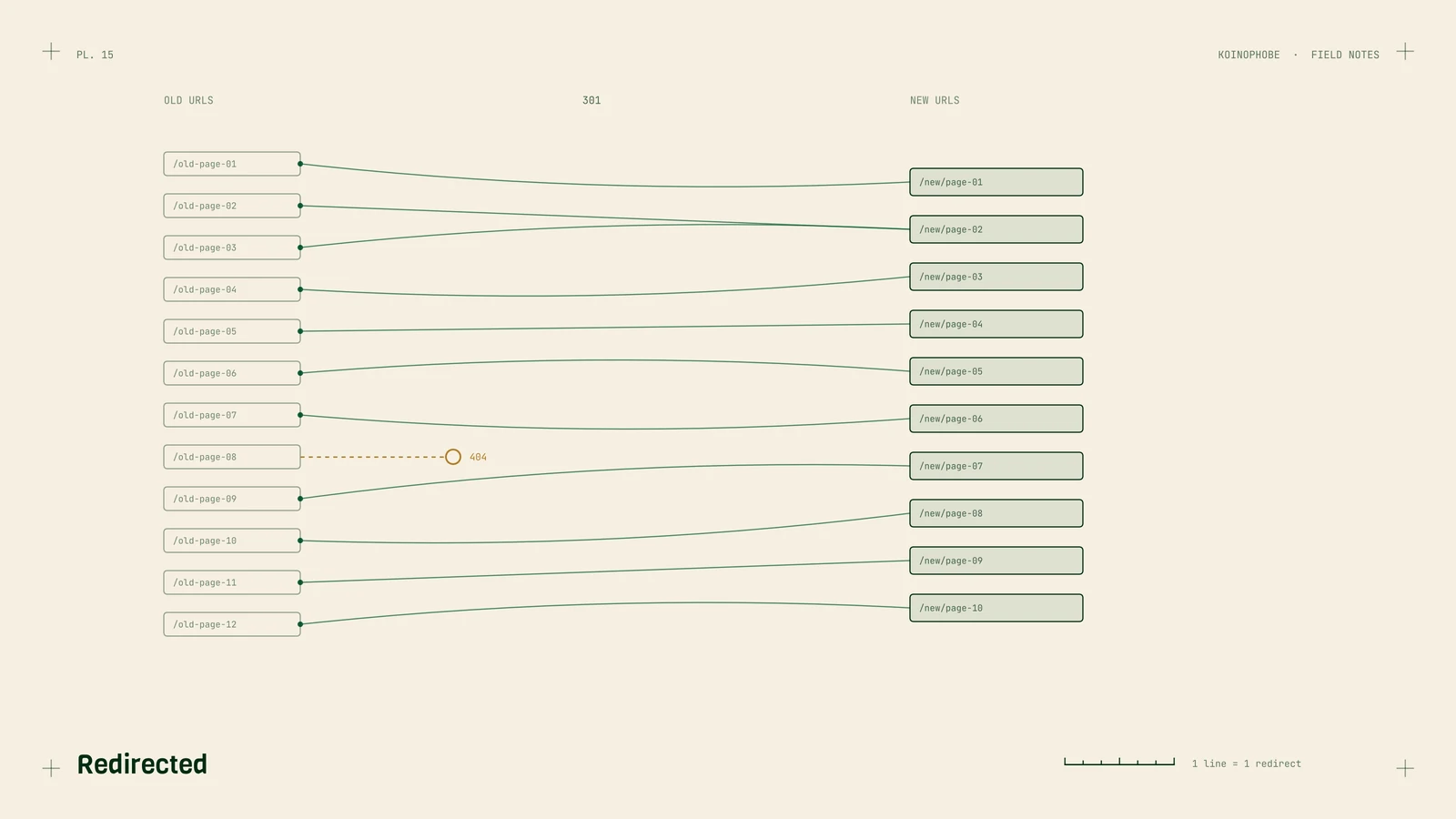
3. Map old URLs to new ones. Make a spreadsheet with two columns, old URL and new URL. Every old page gets the closest matching page on the new site, and a 301 redirect from old to new. A few rules we follow:
- Redirect each page to its real equivalent. Sending everything to the home page tends to get treated by Google like a missing page.
- Point each redirect straight at the final URL. Chains, where A goes to B and B goes to C, slow things down and sometimes break.
- If an old page has no match and has no clicks or links, letting it return a 404 is fine. If it has either, give it a match or keep the page.
Before launch, every row should have a decision: a new URL, or a deliberate 404.
4. Keep what ranks. If a page ranks, keep its title tag, H1 and main content close to what they are now. A new design around the same words is a small change. Rewriting a ranking page at the same moment you move it is two changes at once, and if it drops, you won't know which one did it. Rewrite later, once the move has settled.
The same goes for structure. Folding five town pages into one county page is a content decision. Make it separately from the menu redesign, with the Search Console numbers in front of you.
5. Update internal links. Menus, footer links, buttons and links inside the body copy should point at the new URLs directly, without passing through a redirect.
6. Check tracking and forms. A new theme often loses the GA4 tag, the phone links or the form settings. Re-test phone click tracking in Tag Manager and submit every form. Speed plugins on a new build can stop forms cold, which we wrote up in the contact form note.
Launch day
7. Let Google in. Staging sites are usually hidden from search. In WordPress that's the box "Discourage search engines from indexing this site" under Settings > Reading, and it often gets carried over to the live site. Uncheck it. Then check robots.txt for a leftover Disallow: / and view the source of a few pages for a noindex tag.
8. Test the redirects. Run your old URL list through the crawler in list mode. Each one should return a 301 that lands on a page returning 200.
9. Submit the new sitemap. Add it in the Sitemaps report in Search Console. Use URL Inspection to request indexing for your most important pages.
The weeks after launch
10. Watch Search Console. In the Pages report, keep an eye on "Not found (404)" for old URLs you missed, and on the count of indexed pages. Seeing old URLs under "Page with redirect" is expected.
In the Performance report, compare clicks page by page against the weeks before launch. Some movement in the first few weeks is normal while Google recrawls. A page that loses most of its clicks and stays down needs a look at its redirect and its content.
If you're changing domains
Do all of the above, plus:
- Redirect every old URL to its matching path on the new domain, page to page.
- Verify both domains in Search Console and use the Change of Address tool in the old property's settings.
- Update the website link on your Business Profile and other listings.
- Keep the old domain registered. Google recommends keeping redirects for at least a year. We'd keep it for as long as the business exists, because old links and printed materials keep pointing at it.
Before you launch, set up the tracking that shows whether leads held up, since rankings alone won't tell you.
If a redesign is coming up, we can build the redirect map and run the launch checks with your developer. Get in touch, or see the Site Audit and Setup Sprint on our pricing page.
Frequently asked questions
Will a website redesign hurt my Google rankings?
It can if URLs change without redirects, ranking pages lose their content, or the new site launches blocked from search. Handled carefully, the risk is much smaller.
What is a 301 redirect and when do I need one?
A 301 tells browsers and Google that a page has moved permanently to a new address. You need one for every old URL whose address changes in the redesign.
Should I keep my old domain after switching to a new one?
Yes. Keep it registered and keep its redirects running. Google recommends keeping redirects in place for at least a year, and old links only reach you while they work.