Ranking but no clicks? Fix the title tag, then the page
Ranking but no clicks? 307 search terms in Google's top ten got zero clicks across three sites. How to find yours in Search Console and fix title and page.
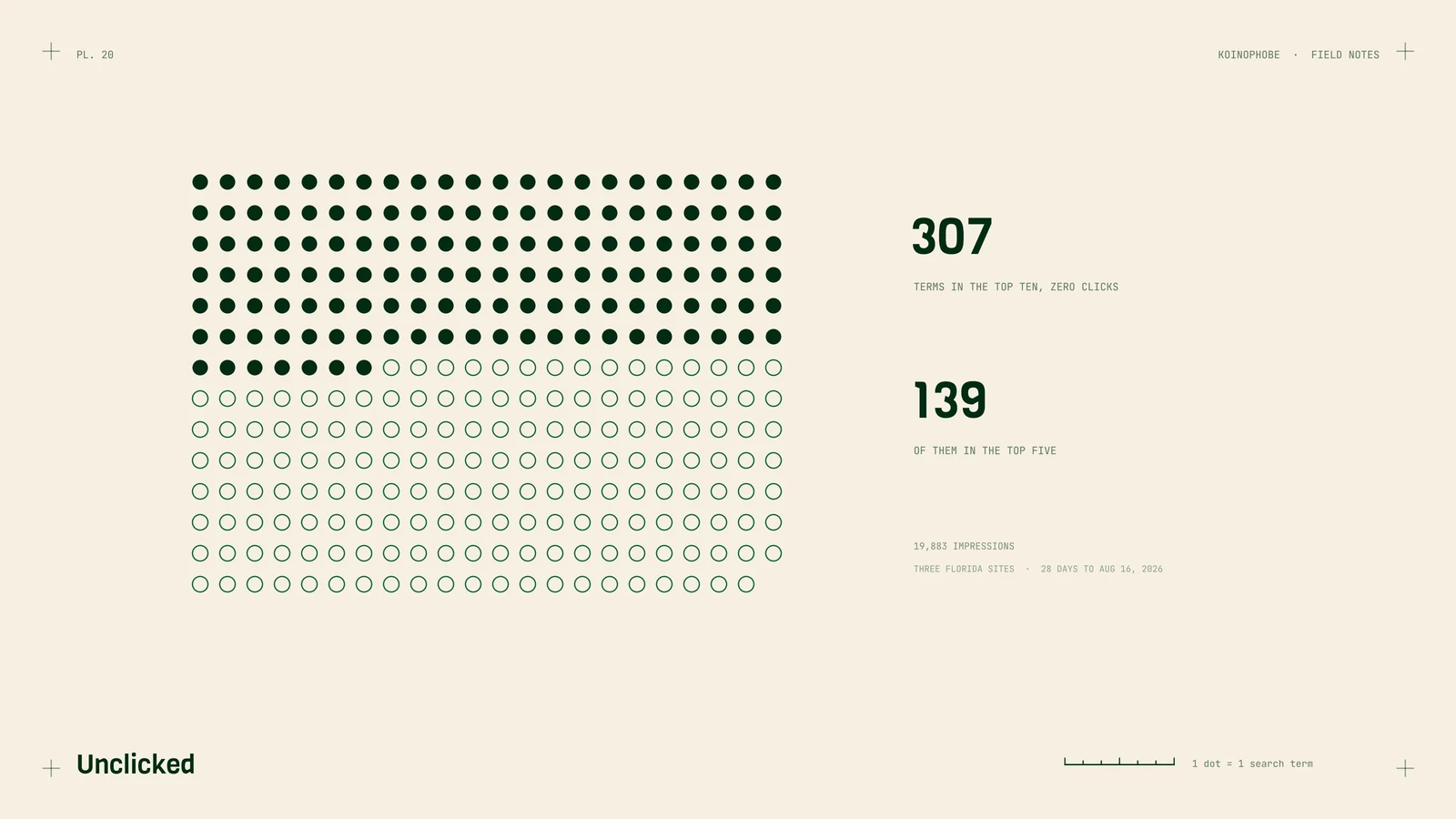
In the 28 days to August 16, 2026, we pulled Search Console data for three Florida sites we work on. 307 search terms ranked in Google's top ten and got zero clicks. Between them they had 19,883 impressions.
Then we narrowed it to the top five.
| Position | Search terms | Impressions | Clicks |
|---|---|---|---|
| Top ten | 307 | 19,883 | 0 |
| Top five | 139 | 9,261 | 0 |
Rankings improved on all three sites in that window. Clicks didn't follow. If you've been told your rankings are up and the phone hasn't changed, this is one place to look.
Why a top five ranking can get no clicks
Two things decide whether someone clicks. The first is the snippet, meaning the title tag and meta description Google shows under your link. The second is whether the page does what the searcher came to do. Searchers often judge the second from the first.
A page can rank for a search it was never written for. The title still says whatever it said when the page went up, so it reads like an answer to a different question. The searcher scrolls past to a result that matches their words.
The booking example
On a roofing site we work on, a search about booking an inspection ranked at position 2.6. It showed 143 times in four weeks and got zero clicks.
The page had no way to book online. Someone searching that wants to pick a time. A sharper title might have earned a few clicks, and those visitors would have found nothing to book. The fix there starts on the page: add a booking path, then rewrite the snippet so it says you can book.
How to find yours in Search Console
- Open Search Console and go to Performance, then Search results.
- Set the date range to the last 28 days.
- Click the Average position card so the column shows in the table.
- Stay on the Queries tab. Use the filter icon above the table to keep rows where Position is smaller than 10.
- Sort by Impressions, highest first.
- Read down the Clicks column. Each 0 near the top is a search where people saw you and didn't click.
- Click one of those queries, then the Pages tab, to see which page is ranking.
Write down the query, the page, the position and the impressions. That's your working list.
Rewriting the title and meta description
Take each query and ask what the person wanted to do. Book, get a price, find someone in their town, or learn something before they call.
Then rewrite the title so it answers that. A few rules we follow:
- Put the searcher's words near the start.
- Name the town if the search names a town.
- Say what they can do on the page, like book, get a quote or call.
- Keep it short enough that Google doesn't cut it off, roughly 60 characters.
Here's the pattern, using a made-up company. A home page title like Home | ABC Roofing would become Book a Roof Inspection in Melbourne, FL | ABC Roofing on a page that can take a booking.
The meta description gets the same treatment. One or two sentences that say what's on the page and what to do next. Google may rewrite it anyway, but a description that matches the search gives it less reason to.
Fix the page, then the snippet
A better snippet sends people to the page. The page still has to deliver. If the search is about booking, add online booking or a short form that asks for a time. If it's about cost, explain what drives the price. If it names a town, the page should show you work there.
Structured data can help Google read the page correctly too. Our note on roofing contractor schema covers what to add.
Check whether it worked
Give each change four weeks, then use the Compare option in the Performance date picker to put the 28 days before against the 28 days after. Look at clicks and CTR for the same query.
Clicks are only half of it. If the page gets visits and still no calls, you need call and form tracking to see where people drop off, which is the whole point of tracking before you judge rankings.
If you'd like us to pull this list for your site, the Site Audit on our pricing page is where we'd start. Or send us your URL and we'll tell you what we'd check first.
Frequently asked questions
Why am I ranking on Google but getting no clicks?
Usually the snippet doesn't match what the searcher wants, or the page can't do what they came to do. Check the title tag and meta description first, then the page itself.
How do I find zero-click keywords in Search Console?
Open the Performance report, show average position, filter the table to positions under 10, sort by impressions and look for rows with 0 clicks.
Does Google always use my meta description?
No. Google often writes its own snippet from text on the page. A description that matches the search closely has a better chance of being shown.