Service area businesses on Google: hiding your address, setting areas, and still ranking
If you go to your customers, Google treats you as a service area business. When to hide your address, how to set service areas, why they don't decide where you rank, and what to do about the towns farther out.
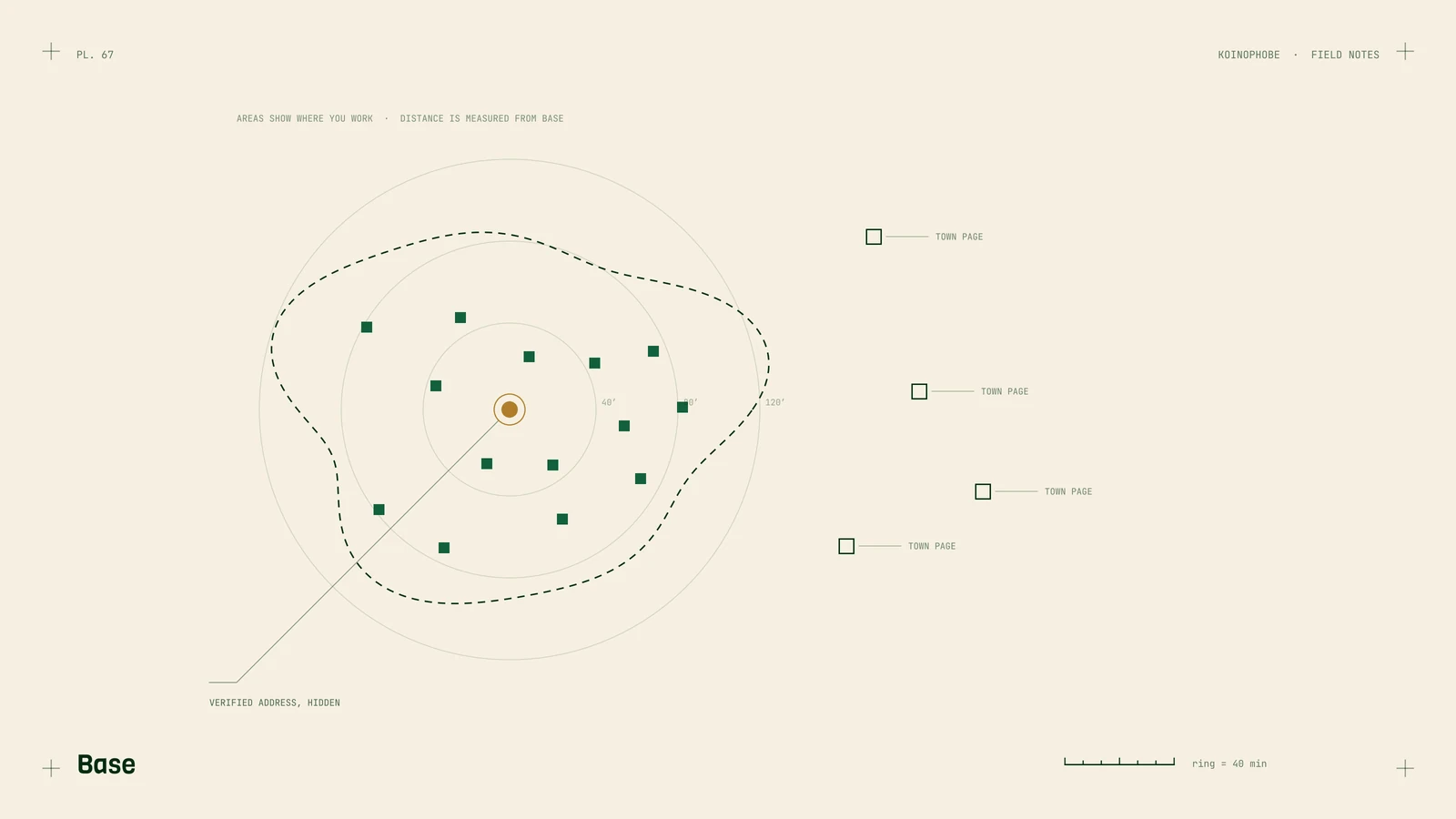
If you drive to your customers (roofers, plumbers, cleaners, lawn crews, mobile detailers), Google calls you a service area business. The profile works a little differently for you, and two of the settings confuse almost everyone: whether to show your address, and what service areas do.
Hide the address if customers don't visit
Google's rule is simple: if customers don't come to your location, don't show the address. Remove it from the profile and add service areas instead. Your home address stays private, and Google still keeps it on file to verify the business.
If you have a shop or office that's staffed during your posted hours and customers do visit, you're a hybrid. Show the address and add service areas for the jobs you travel to.
Two things that don't work:
- A virtual office or mailbox address. PO boxes, mailbox rentals and virtual offices are against Google's guidelines, and they're a common reason for suspensions.
- An address in a bigger town you'd rather rank in. The verification address has to be a real place where the business operates.
Set service areas you can cover
You can add up to 20 service areas, by city, ZIP code or region. Google's guidance is to keep them within about two hours' drive of your base.
List the places you take jobs. Adding every town in the state doesn't help you rank there, and it can make the profile look less trustworthy to customers.
Service areas don't decide where you rank
This is the part most owners don't expect. Google says local results are based mainly on relevance, distance and prominence. Distance is measured from your verified address, even when it's hidden. Your service area list tells customers where you work. It doesn't put you in the map pack for every town on it.
That's why a roofer based on one side of a county often shows up in the map pack near home and barely at all 30 minutes away, with the same profile. When we pulled 1,250 near-me searches from five client sites, the businesses customers visit won most of them: the clinic and the game shop accounted for 836. Near-me results lean hard on where the searcher is standing.
How to win the towns farther out
For towns away from your base, your website does more of the work than your profile.
- Build a real page for each town you want. Jobs you've done there, photos, the problems common to that area, how quickly you get out. Near-identical pages with the town name swapped fall under Google's doorway abuse policy. Service area pages shows how to write them.
- Get reviews that mention the work and the place. Ask every customer the same way. Don't offer anything in return, since Google prohibits incentives for reviews. Getting more reviews covers the wording.
- Look at the next county over. On one Florida shutter company's site, 38% of search visibility came from outside its home county. Hurricane shutter SEO has the numbers and what we did with them.
Keep the business details consistent
Use your real business name with no keywords added. "Smith Roofing" is fine; "Smith Roofing Best Roof Repair Orlando" breaks the guidelines and is one of the things competitors report. Use the same name and phone number on your site and the main directories. NAP consistency has the list.
Where to start
Open your profile and check three settings: the address (hidden if customers don't visit), the service areas (where you take jobs, within two hours), and the business name (your real one). The full setup is in our Business Profile guide. If you'd like it done for you along with the town pages, that's part of the Growth plan on our pricing page.
Frequently asked questions
Should a service area business hide its address on Google?
Yes, if customers don't come to you. Remove the street address from the profile and set service areas instead. Google still keeps the address on file for verification and ranking, it just isn't shown to the public.
How many service areas can I add to Google Business Profile?
Up to 20, by city, ZIP code or region. Google's guidance is that the area shouldn't extend more than about two hours' drive from where the business is based.
Do service areas affect where my business ranks on Google Maps?
Not directly. Google says local results are mainly based on relevance, distance and prominence, and distance is measured from your verified address. Service areas tell customers where you work; they don't guarantee you'll show up in every town you list.