Discovered, currently not indexed: why Google hasn't crawled your pages yet
Google found these URLs and put off crawling them. What the status means in Google's words, why new and template-heavy sites see so much of it, and the order we'd fix things in: server speed, wasted URLs, internal links, then requests.
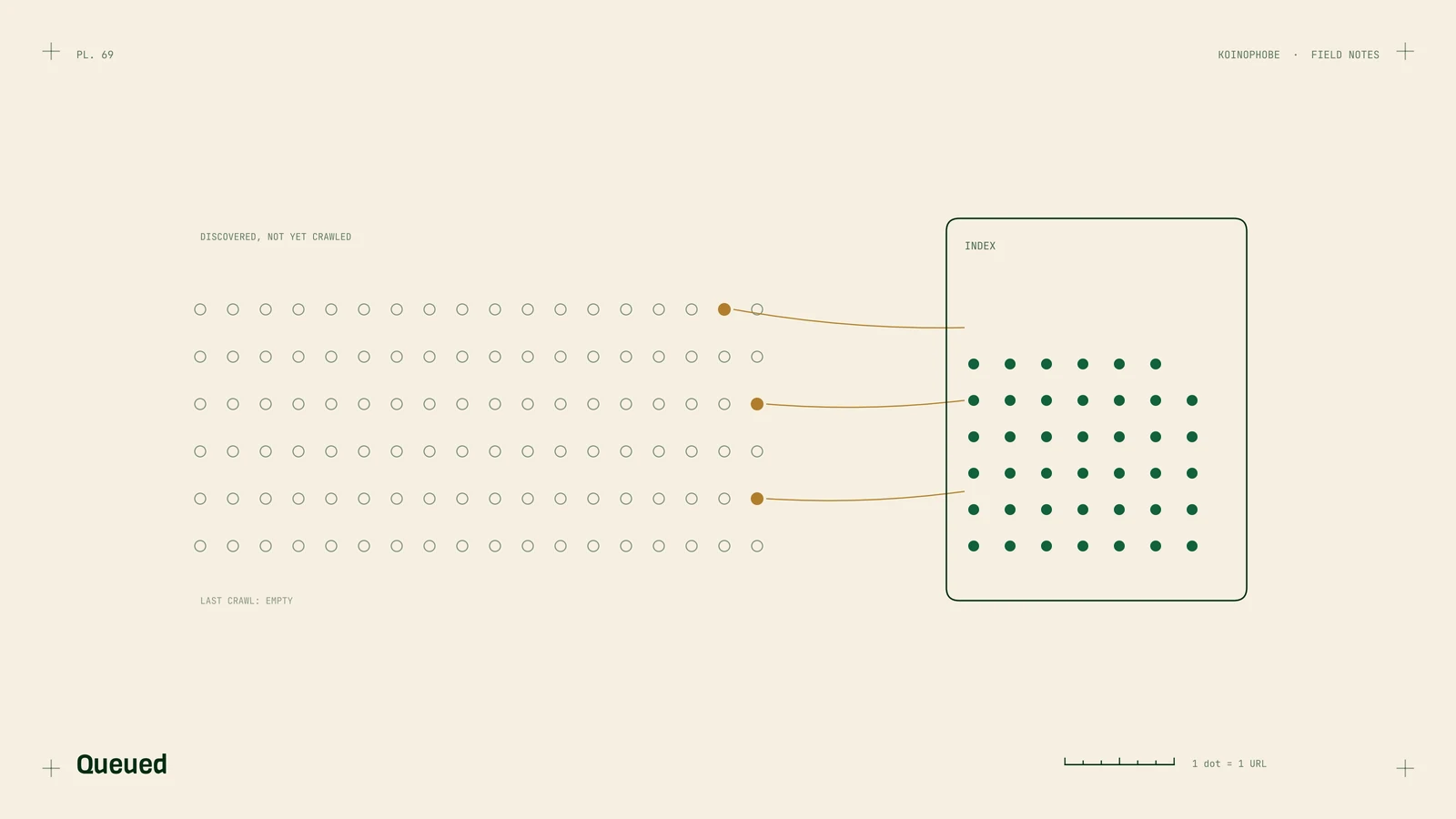
"Discovered, currently not indexed" means Google knows a page exists and hasn't gotten around to crawling it. It found the URL in a link or your sitemap, put it on a list, and moved on.
Google's help text gives the usual reason: "Typically, Google wanted to crawl the URL but this was expected to overload the site; therefore Google rescheduled the crawl. This is why the last crawl date is empty on the report."
That makes it a different problem from crawled, currently not indexed, where Google read the page and decided not to keep it. Here, Google hasn't read the page at all.
Why it happens
Google decides how much to crawl based on two things: how much your server can take, and how much it wants your pages. Both can be low on a small or new site.
- The server is slow or erroring. If responses are slow or Google gets 5xx errors, it backs off. Cheap shared hosting and sites with no caching do this.
- There are too many URLs to crawl. Filters, sort options, tracking parameters, calendar pages and search results pages can create thousands of URLs that all look new to Google.
- The sitemap lists pages it shouldn't. Redirects, 404s and
noindexpages in a sitemap teach Google to trust it less. - The pages have few internal links. A page only listed in the sitemap gets lower priority than one linked from pages Google visits often.
- The site is new. Google crawls new domains carefully. Some of this status is normal for the first months.
Fix it in this order
1. Check the server
In Search Console, go to Settings, Crawl stats. Look at average response time and the host status section. If response times are high or you see server errors, fix that first. Caching, a faster host or a CDN usually help. Nothing else on this list matters much if Google is backing off because of your server.
2. Cut wasted URLs
Search Console's Crawl stats report shows a sample of what Googlebot requested. If you see a lot of ?filter=, ?sort= or ?sessionid= URLs, stop generating links to them where you can. For crawl traps you can't remove, a Disallow rule in robots.txt keeps Googlebot out. Remove dead pages with a 404 or 410 so Google stops coming back.
3. Clean the sitemap
Your sitemap should only list pages that return a 200 status, aren't redirected, aren't noindex, and are the canonical version. Most CMS plugins and frameworks can do this automatically if they're set up right. Check a handful of URLs by hand. If Google knows about pages from your old site that no longer exist, our redesign checklist covers the redirects.
4. Link to the pages that matter
Add links to your stuck pages from your homepage, your main service pages or a well-visited article. Use anchor text that says what the page is. On small sites, internal links are usually the quickest change you can make.
5. Then request indexing
Use the URL Inspection tool and click Request indexing for your most important stuck pages. Do it once per page. It's a nudge, and asking again doesn't speed it up.
When to stop worrying
If the stuck URLs are tag pages, feeds, filtered views or old pagination, leave them. Google rarely indexes everything on a site, and these pages wouldn't bring you customers anyway.
Worry when your service pages, product pages or main articles sit here for more than a few weeks after you've worked through the list above. On a small site, that usually points back to step one or step four.
Where to start
Open Crawl stats today and check your response times. Then pick your five most important stuck pages and link to each one from a page that already gets traffic. What is technical SEO covers the other basics, and our Site Audit on the pricing page includes the full indexing review if you'd like someone else to do it.
Frequently asked questions
What does discovered, currently not indexed mean?
Google knows the URL exists, usually from a link or a sitemap, but hasn't crawled it yet. Google's help text says it typically wanted to crawl the URL but expected that to overload the site, so it rescheduled. That's why the last crawl date in the report is empty.
How do I fix discovered, currently not indexed?
Check that your server responds quickly in Search Console's Crawl stats report, cut URLs that waste crawling such as filters and parameters, clean your sitemap so it only lists pages you want indexed, and link to the important pages from pages Google already crawls. Then request indexing for the few that matter most.
Is discovered, currently not indexed normal for a new website?
Yes, to a point. Google crawls new domains cautiously and rarely indexes everything on a site. It becomes a problem when your main service or product pages stay in this status for weeks.