What is technical SEO? A plain-English guide for business owners
Technical SEO is the part of SEO that decides whether Google can find, read and index your pages at all. What it covers, in plain English, the checks you can run yourself in an afternoon, and when it's worth paying someone.

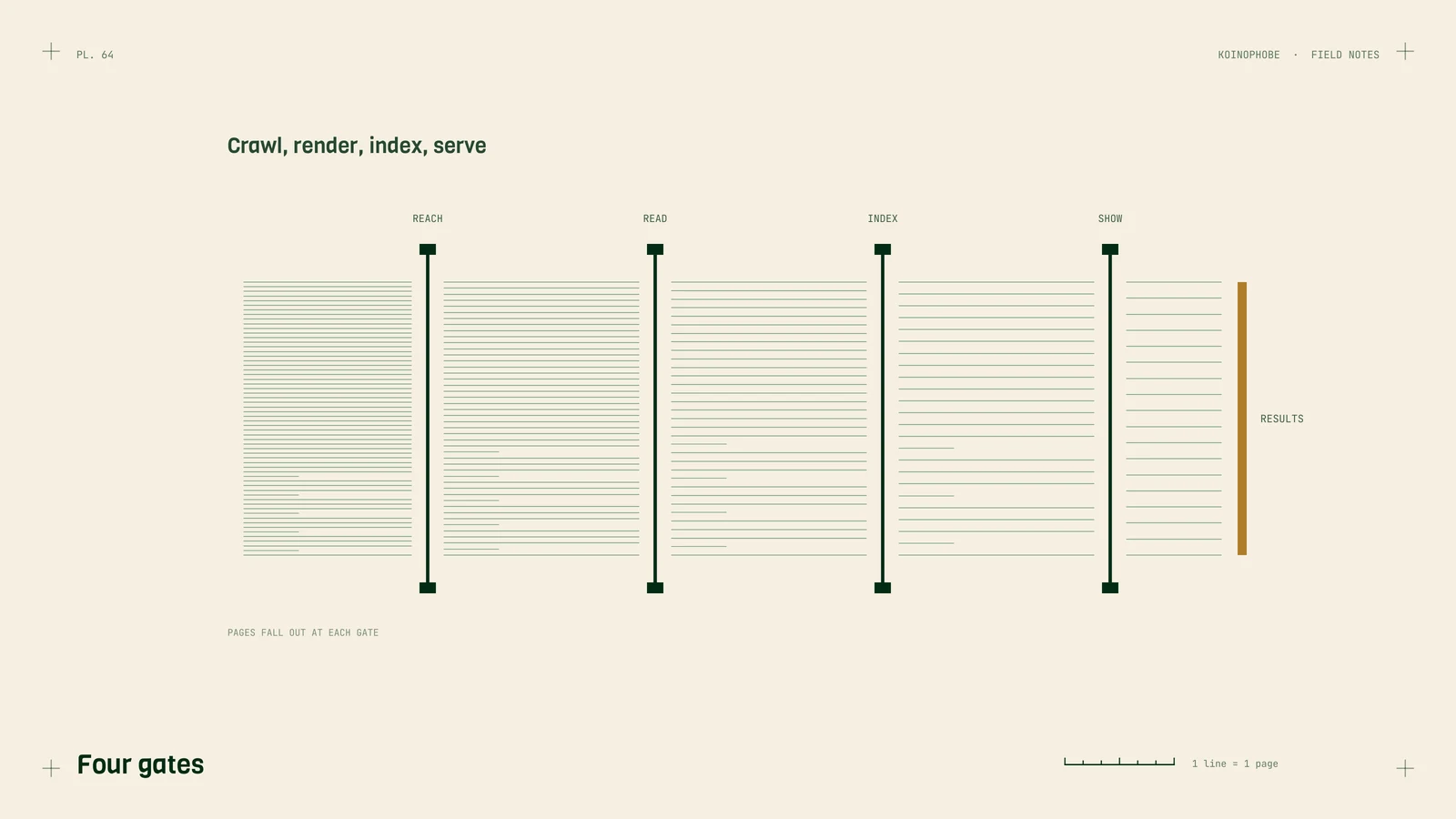
Technical SEO is the part of SEO that decides whether Google can find your pages, read them and keep them in its index. Good writing and good links only count once those three things work. If they don't, the best service page you have is invisible.
That's the definition. The rest of this note is what it covers in practice, which checks you can run yourself, and where it's worth paying someone like us.
What Google needs before a page can rank
Google lists three technical requirements for a page to be eligible for Search:
- Googlebot isn't blocked. Pages behind a login or blocked by robots.txt won't be crawled.
- The page works. Google has to receive an HTTP 200 status code. Error pages aren't indexed.
- The page has indexable content. The text is in a format Google supports and doesn't break its spam policies.
Google adds that meeting them "doesn't mean that a page will be indexed; indexing isn't guaranteed." That line explains a lot of Search Console reports. A page can be technically fine and still not be indexed, because Google also decides whether it's worth keeping.
What technical SEO covers
Crawling. Can search engines reach the page? This is robots.txt, server errors, and links Google can follow. A link built as a JavaScript button with no href is a dead end for Googlebot.
Rendering. Can they read what's on it? Google runs JavaScript, but later and on a queue. Many AI crawlers don't run it at all. If your prices or services only appear after scripts load, some crawlers see an empty page. Our AI crawler access note covers that side.
Indexing. Does Google keep the page? This is noindex tags, canonical tags, duplicate pages, and the statuses in Search Console's Page indexing report.
Site structure. Do your important pages get internal links, and does the URL pattern make sense? A page linked only from the footer sitemap gets less attention than one linked from the homepage and three service pages.
Redirects and migrations. When URLs change, old ones need permanent redirects to the matching new page. When traffic drops after a redesign, this is the first thing we check. How to redesign without losing rankings has the checklist.
Speed and page experience. Core Web Vitals measure loading, responsiveness and layout shifts. They matter less than people think for rankings, and more for calls, since a slow page on a phone loses people. Core Web Vitals for contractor sites explains what to fix first.
Structured data. Schema markup tells search engines what a page is about in a format they parse directly: your business details, reviews, FAQs. Roofing contractor schema shows a full example.

Checks you can run in an afternoon
You don't need tools beyond a browser and Google Search Console.
- Search
site:yourdomain.comon Google. If your main service pages are missing, start there. - Open Search Console's Page indexing report. Read the reasons under "Why pages aren't indexed" and check that none of your money pages are in that list. Our Search Console guide walks through the setup.
- Inspect your homepage and one service page with the URL Inspection tool. Run a live test and look at the screenshot. If it's blank or missing content, you have a rendering problem.
- Visit
yourdomain.com/robots.txt. Make sure no line blocks pages you want found. A strayDisallow: /left over from a staging site happens more often than you'd expect. - Type the old version of your domain. Try
http://,wwwand non-www. All of them should land on one version of the site in one hop. - Submit a test lead through every form. Technical problems aren't only about Google. In July 2026 we found a client's forms had been failing since March because of an email setting. Nobody noticed for four months.
If all six pass, your site is in better shape than most we see.
When it's worth paying for
Small sites usually need a technical check once, then after any big change: a redesign, a new platform, a domain change, a new developer. The problems that need someone with experience are the ones you can't see from the outside, such as redirect chains, canonicals pointing the wrong way, or JavaScript that hides content from crawlers.
That's what our Site Audit covers. It's $750, delivered in five business days, ranked by what affects calls, and it's credited in full if you start a monthly plan within 30 days. Details are on the pricing page. If you'd rather start free, the AI crawler check tests whether search and AI crawlers can read your homepage.
Frequently asked questions
What is technical SEO in simple terms?
It's the work that makes sure search engines can reach your pages, read what's on them and store them in their index. Content and links decide how well a page ranks; technical SEO decides whether it can rank at all.
What's the difference between technical SEO and on-page SEO?
On-page SEO is what the page says: the title, headings, copy and photos. Technical SEO is how the site delivers it: crawl access, status codes, redirects, canonicals, sitemaps, speed and structured data. Most real problems need a bit of both.
Do small business websites need technical SEO?
Yes, though usually less of it than large sites. A 20-page contractor site doesn't have crawl budget problems, but it can still have a page blocked by robots.txt, a broken redirect from an old domain, or a form that stopped sending leads. Those are the checks that matter at that size.